Shop
In Idealo, each online shop (domain), and potentially each country, is assigned a respective shop ID. Offers must be provided separately for each shop ID. Each shop, registered in Idealo portal, should have setup in Business Central
-
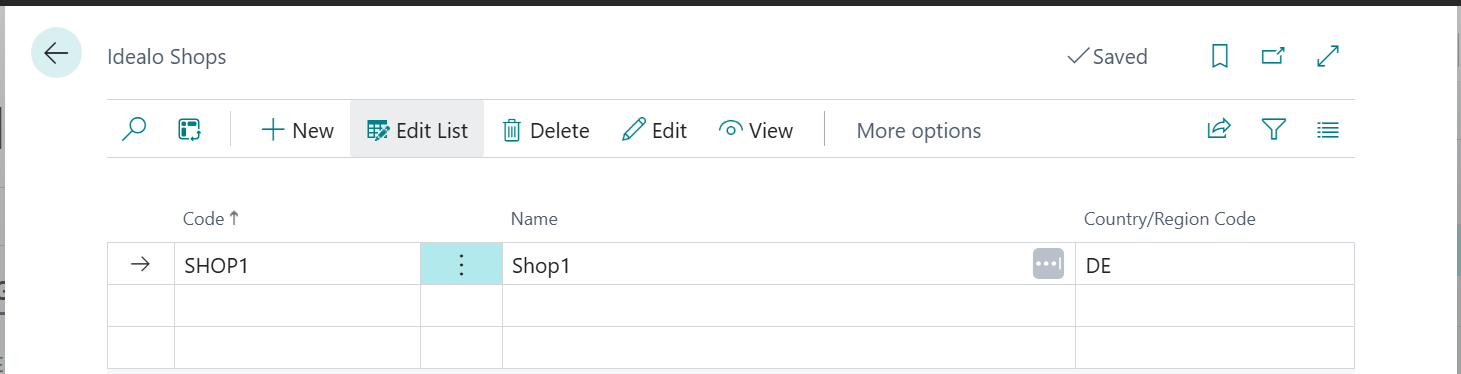
To open shops list, press Shops button in Idealo setup page, or search Idealo Shops in Tell Me.
-
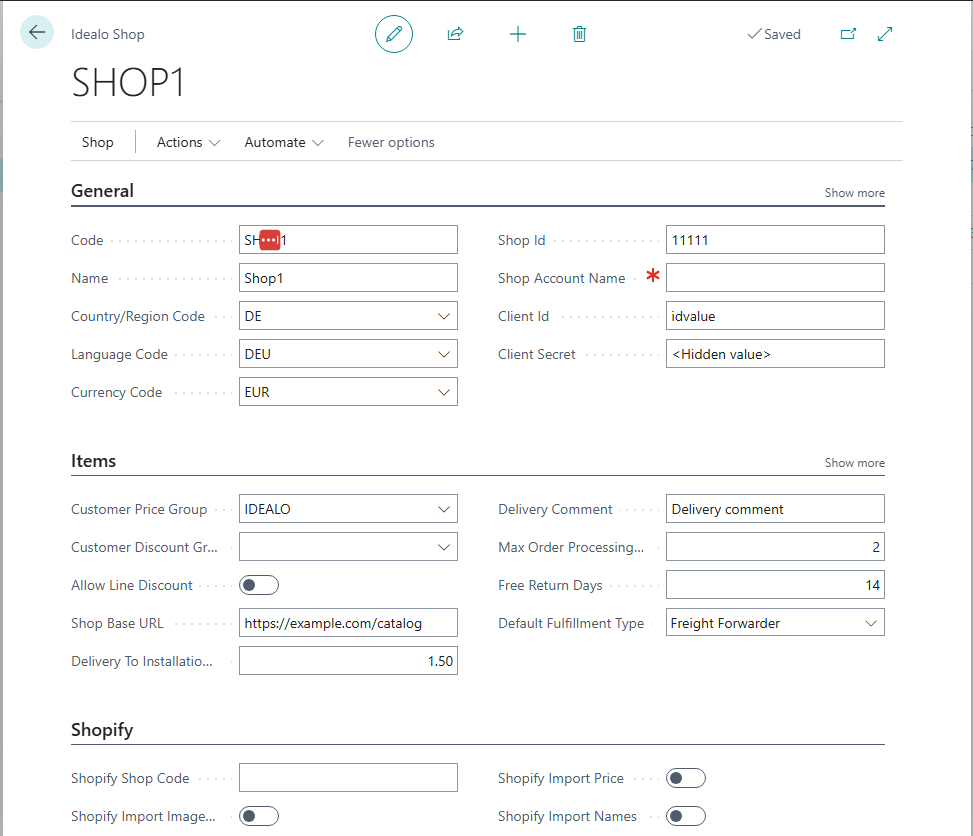
Press New to create new shop. Fill data in Shop card:
| Field
|
Description
| | --- | --- | |
General FastTab
| |
Code
|
Select the code for identifying shop.
| |
Description
|
Enter a brief description shop.
| |
Country/region code
|
Select code from countries list, where this shop is located.
| |
Currency code
|
Select code for currency, in which current shop is operating.
| |
Shop Id
|
Enter Shop id, provided by idealo
| |
Shop Account Name
|
Enter shop's account name
| |
Client Id
|
Enter credentials (Client Id) from shop setup in idealo portal (see Setup in Idealo portal)
| |
Client Secret
|
Enter credentials (Client Secret) from shop setup in idealo portal (see Setup in Idealo portal)
| |
Items FastTab
| |
Customer Price Group
|
Enter Customer Price Group code for idealo prices. Note that prices there must be including VAT
| |
Customer Discount Group
|
Enter Discount Group code for idealo prices
| |
Allow Line Discount
|
Select this field to allow discounts for idealo prices
| |
Shop Base URL
|
idealo offer contains links to web-shop product. If company does not use Shopify Connector, specify base url for company’s web-shop. This info is used when application suggests new entries for loading to idealo portal.
| |
Delivery To Installation Site Cost
|
Cost of installation
| |
Delivery Comment
|
Field is used to leave comments for the delivery as well as comments for coupon transmission (like “Store pickup possible“ etc.).
| |
Max. Order Processing Time (days)
|
Calculation of a delivery date based on the submission of processing time and item location, Saturday work, and cut-off times
| |
Free Return Days
|
Free return in days.
| |
Default Fulfillment Type
|
Type of delivery. Options are: PARCEL_SERVICE (Paketdienst), FREIGHT_FORWARDER (Spedition), DOWNLOAD and LETTER (Briefversand)
| |
Shopify FastTab (Used if company uses Shopify Connector by Microsoft in Business Central. Allow copy data from Shopify setup into idealo offer)
| |
Shopify Shop Code
|
Enter Shopify shop code, from where to take information
| |
Shopify Import Image URL
|
Select to import item image URLs from Shopify connector setup
| |
Shopify Import Price
|
Select to import item prices from Shopify connector setup
| |
Shopify Import Names
|
Select to import item names from Shopify connector setup
|