Job Queue
Admin
Never miss a failed job again. Get instant notifications via Email, Teams, or Slack with intelligent auto-restart and maintenance window support.
Pricing
Simple and transparent pricing
$30 USD AppSource list price · flat rate per environment — runs automatically, no daily user interaction needed
Prices shown in EUR. AppSource may display USD or local currency at Microsoft's exchange rate.
What is Job Queue Admin?
Job Queue Admin is a comprehensive job queue monitoring and notification extension for Microsoft Dynamics 365 Business Central. All jobs are monitored immediately after install - no per-job configuration needed. Get instant alerts when jobs fail, with intelligent auto-restart to recover from transient errors automatically.
Why Job Queue Admin?
Proactive monitoring that keeps your business running smoothly
Zero-Config Monitoring
Most solutions require per-job setup. Job Queue Admin monitors all jobs from install — opt-out, not opt-in.
Teams, Slack & Email in One
The only BC extension with native multi-channel notifications. Alert your team where they already work.
Smart Auto-Recovery
Pattern-based restart rules with exponential backoff and cooldown. Goes far beyond basic retry counters.
Maintenance Windows & Digests
Suppress alerts during planned downtime. Get daily/weekly status digests. Features no other solution offers.
Beyond Built-in Notifications
Business Central 2024 Wave 2 introduced basic job failure notifications. Job Queue Admin goes further — delivering the monitoring, automation, and reliability that production environments demand.
| Capability | BC Built-in | Job Queue Admin |
|---|---|---|
| Notification channels | In-product only | Email, Teams & Slack |
| Auto-restart rules | Basic retry count | Pattern-based with exponential backoff |
| Maintenance windows | ✗ | ✓ |
| Digest reports | ✗ | ✓ |
| Notification audit trail | ✗ | ✓ |
| Channel routing per job | ✗ | ✓ |
How It Works
From failure to recovery in seconds - Failed Integration Job
Issues resolved before users even notice. Auto-restart handles transient failures automatically, while persistent issues get immediate attention from your team.
Complete Feature Set
Everything you need for professional job queue monitoring
Zero-Configuration Monitoring
All jobs monitored immediately after install - no per-job setup required. Opt-out model means instant value from day one.
Email Notifications
Traditional SMTP-based email notifications to any email address with full job context and error details.
Microsoft Teams
Workflow-based notifications to Teams channels with actionable buttons for restart and hold operations.
Slack Integration
Bot-based notifications to Slack channels with interactive actions for immediate job management.
Intelligent Auto-Restart
Pattern-based rules to automatically restart failed jobs with exponential backoff and cooldown protection.
Maintenance Windows
Scheduled quiet periods to suppress notifications and auto-restarts during planned maintenance.
Digest Reports
Daily or weekly summary reports of job queue status sent to your preferred channels.
Multi-Company Support
Single configuration works across all companies in your tenant with unified notification queue.
Deep Links
One-click navigation from notifications directly to the failed job in Business Central.
Complete Audit Trail
Every notification attempt recorded with delivery status, response details, and retry history.
Three-Layer Delivery
Immediate send, queue processing with retry, and optional Azure polling for maximum reliability.
Channel Routing
Route different jobs to different teams - critical jobs to on-call channels, reports to business users.
Product Screenshots
See Job Queue Admin in action
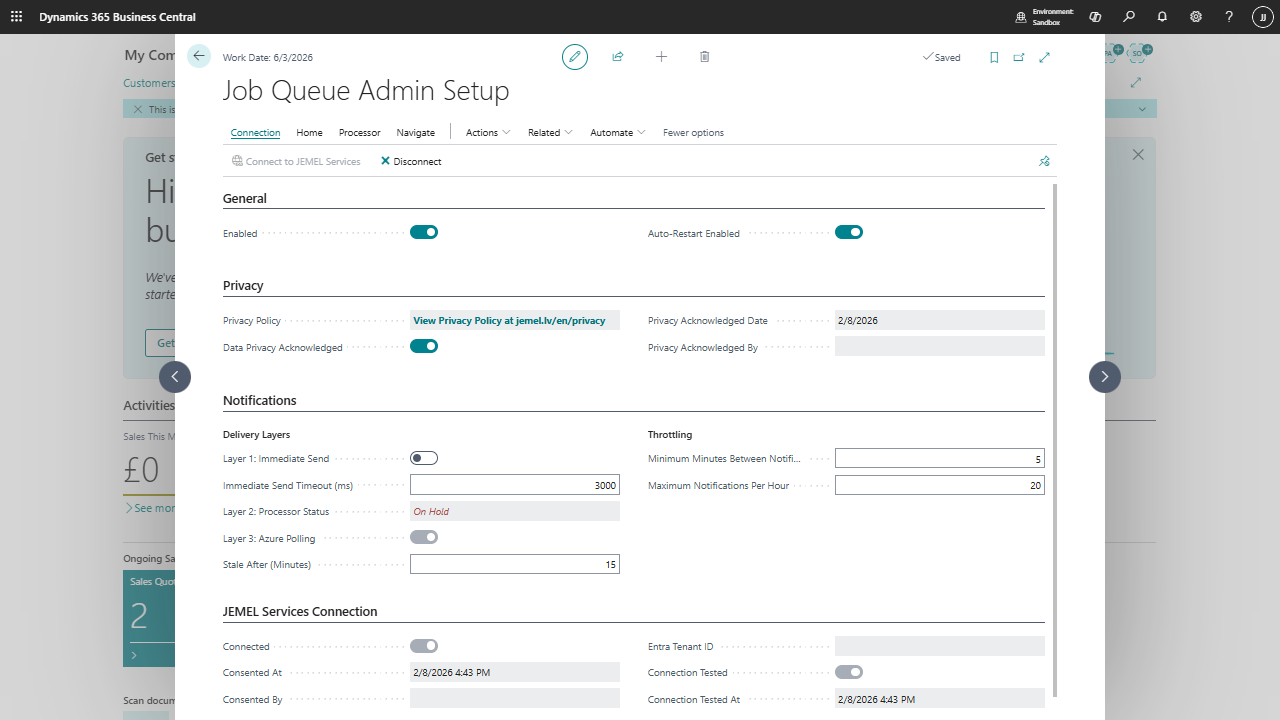
Setup page — delivery layers, throttling and JEMEL Services connection
Setup page — delivery layers, throttling and JEMEL Services connection
Click anywhere to close
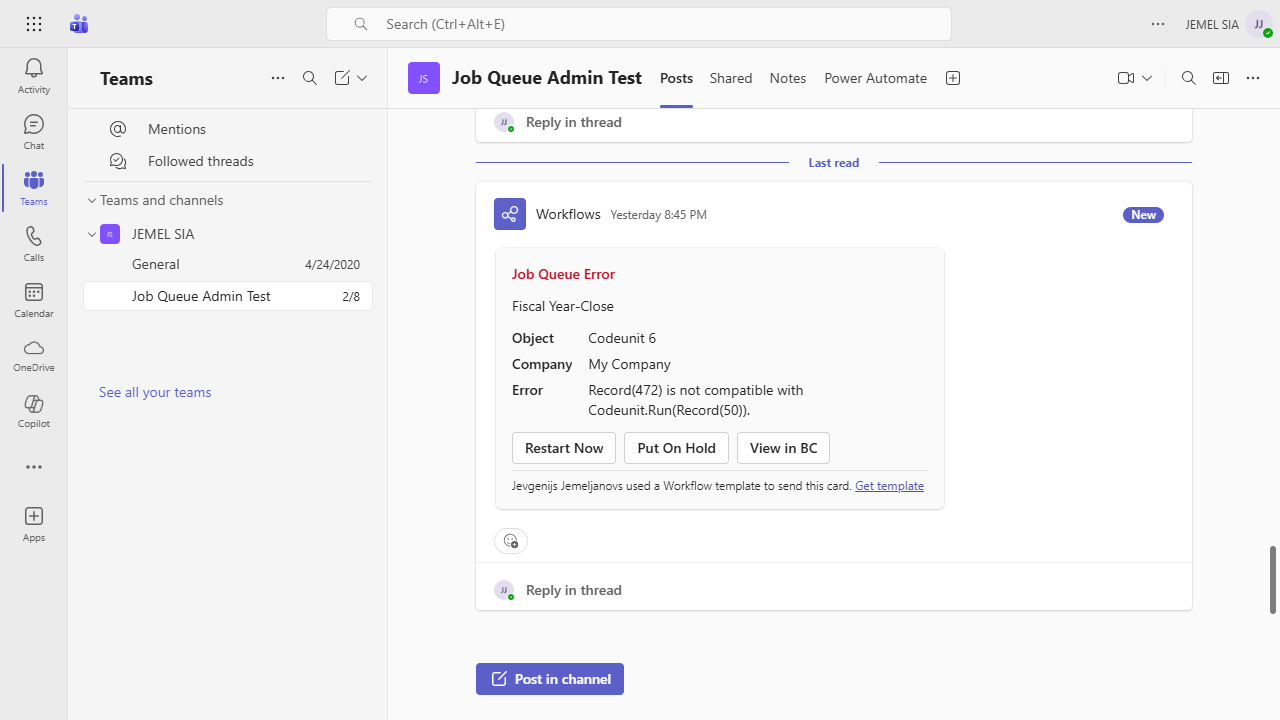
Teams notification with Restart, Put On Hold and View in BC actions
Teams notification with Restart, Put On Hold and View in BC actions
Click anywhere to close
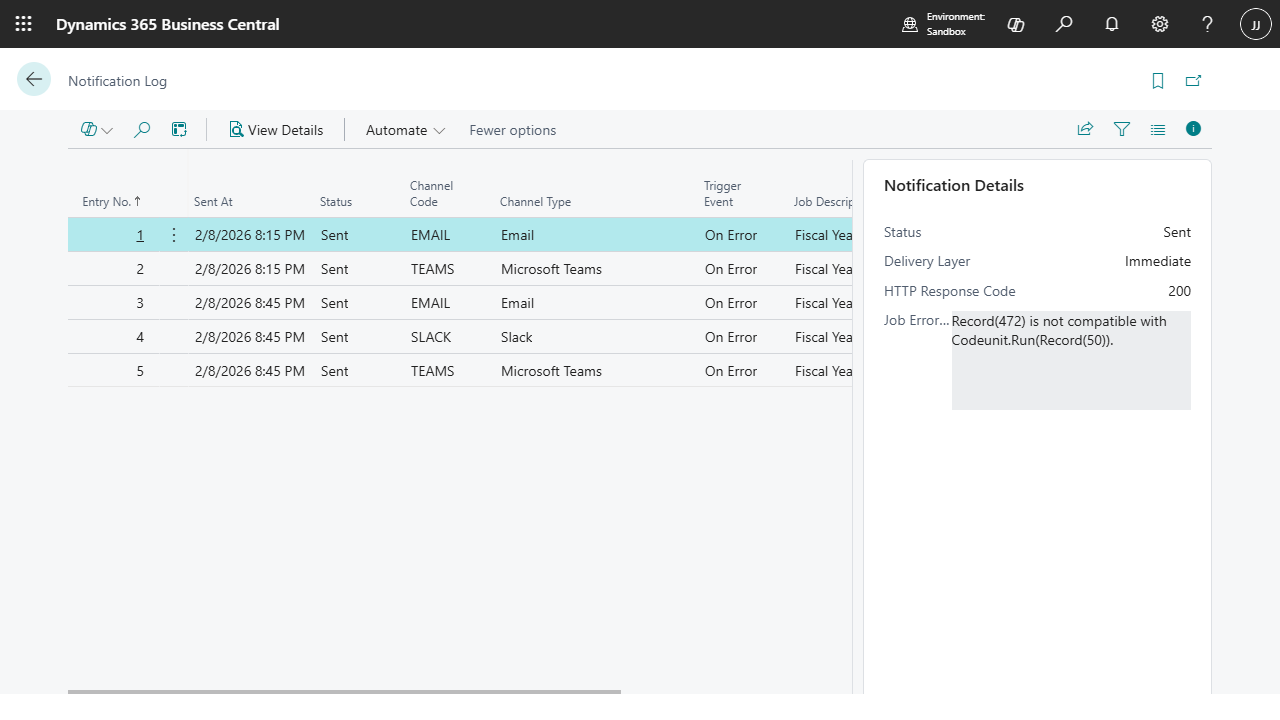
Complete audit trail — every notification with delivery status and details
Complete audit trail — every notification with delivery status and details
Click anywhere to close
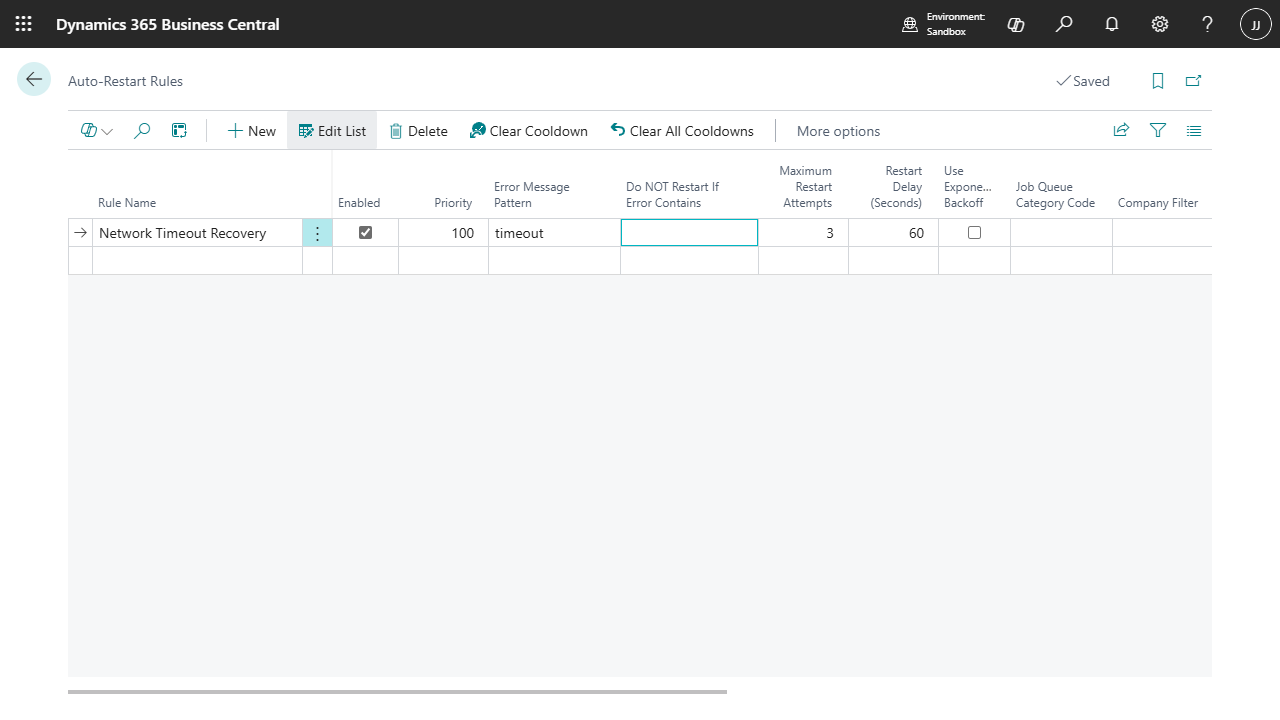
Pattern-based auto-restart rules with backoff and cooldown
Pattern-based auto-restart rules with backoff and cooldown
Click anywhere to close
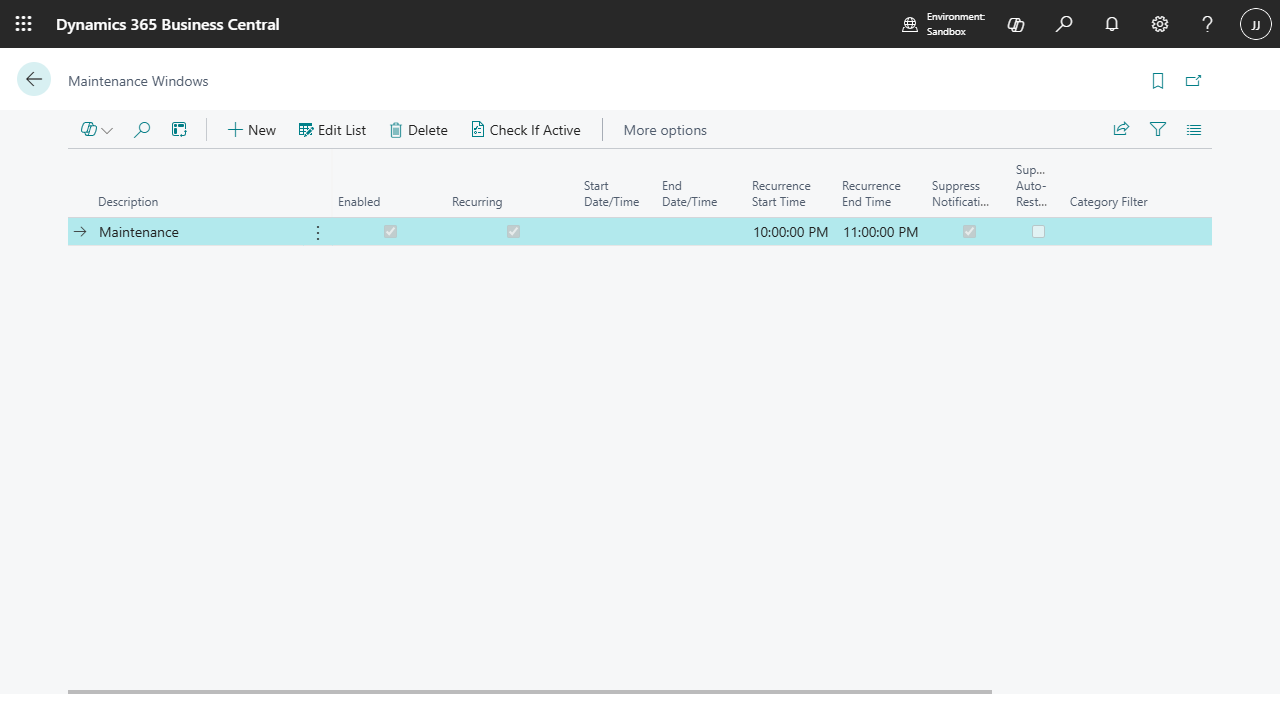
Scheduled quiet periods to suppress notifications during maintenance
Scheduled quiet periods to suppress notifications during maintenance
Click anywhere to close
Who Benefits?
Job Queue Admin helps teams across your organization
IT Operations
Proactive monitoring - know about failures before users report them
Business Process Owners
Track integration job health with digest reports and SLA tracking
System Administrators
Centralized configuration with easy channel and rule management
Manufacturing
Monitor production planning and MRP jobs critical to operations
Retail & E-commerce
Track inventory synchronization and order processing jobs
Distribution
Ensure EDI processing and warehouse jobs complete on time
Documentation Available Now
Complete Job Queue Admin documentation is already available. Learn about setup, notification channels, auto-restart rules, maintenance windows, and more.
Read DocumentationRequest Demo
See Job Queue Admin in action and learn how it can improve your job monitoring
Ready for Reliable Job Monitoring?
Get Job Queue Admin from Microsoft AppSource and start monitoring your jobs today